Arty Bundles
Instant download · Commercial license included · 30-day money-back guarantee
Arty Product Landing

£59.00

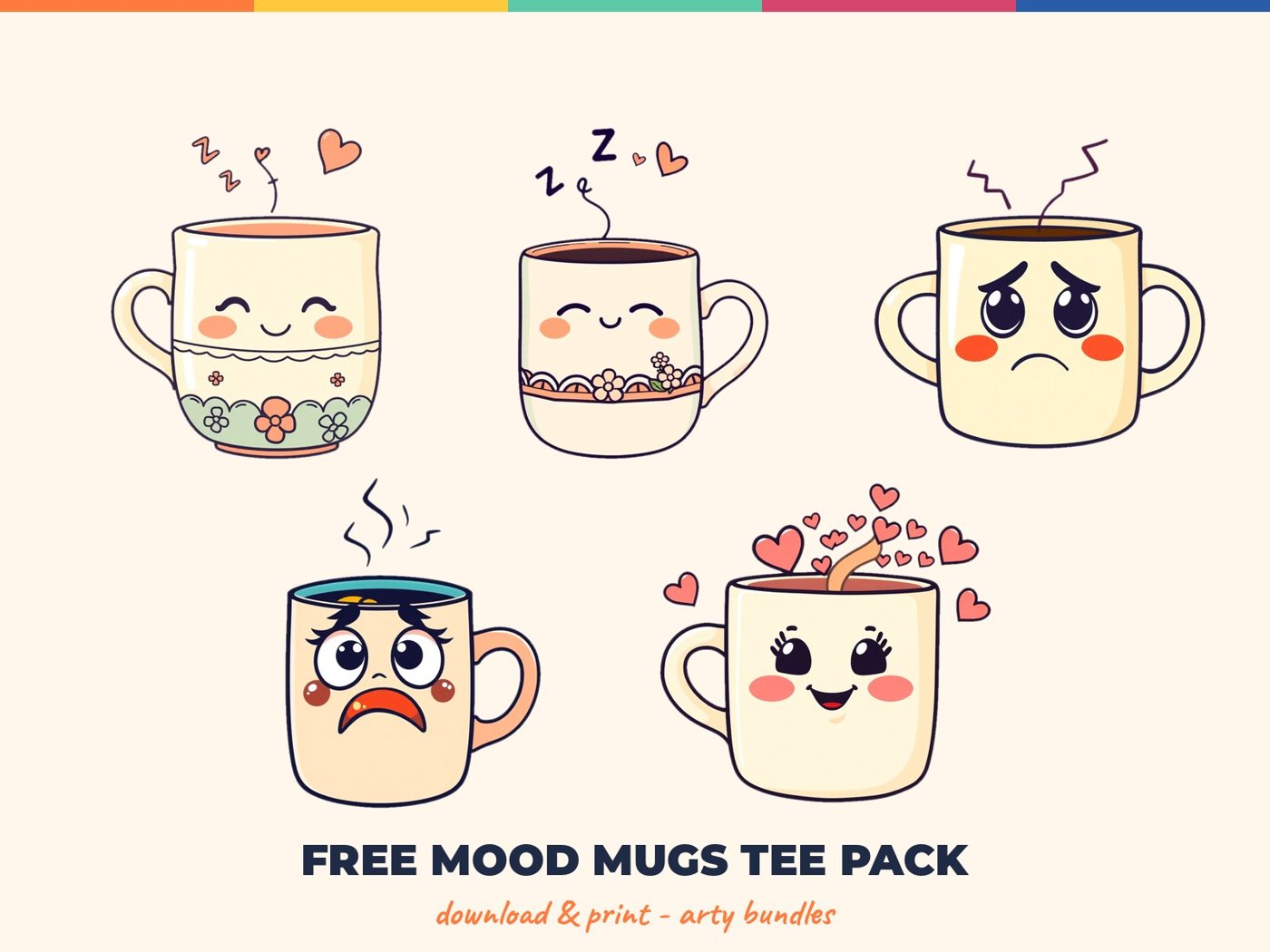
Everything in one download: Mood Mugs Tee Pack, Vintage Font Pack and Procreate Tattoo Brushset.

  • Instant download after checkout
  • Commercial license included
  • Start Here guide in every download
  • 30-day money-back guarantee
See how it works
Instant download
Your files are ready seconds after checkout, and a copy arrives by email.
Commercial license
Use the designs on products you sell: print on demand, Etsy or your own shop.
Works with your tools
Open the files in Procreate, Photoshop, Canva, Affinity or any editor that supports the formats listed.
30-day money-back
Not what the page promised? Contact us within 30 days and we make it right.

What's inside

Get it now

About this pack

Instant download · Commercial license included · 30-day money-back guarantee
Arty Product Landing

£59.00

Everything in one download: Mood Mugs Tee Pack, Vintage Font Pack and Procreate Tattoo Brushset.

  • Instant download after checkout
  • Commercial license included
  • Start Here guide in every download
  • 30-day money-back guarantee
See how it works
Instant download
Your files are ready seconds after checkout, and a copy arrives by email.
Commercial license
Use the designs on products you sell: print on demand, Etsy or your own shop.
Works with your tools
Open the files in Procreate, Photoshop, Canva, Affinity or any editor that supports the formats listed.
30-day money-back
Not what the page promised? Contact us within 30 days and we make it right.

What's inside

Get it now

About this pack

Post Content Holder

From checkout to creating

Here is exactly what happens after you buy. It takes a few minutes.
1. Check out
Pay securely with your card. No complicated steps.
2. Download
Press the download button on the thank-you page. The same links arrive in your order email.
3. Unzip
Windows: right click, Extract All. Mac: double click. Phone: tap the file or use a free unzip app.
4. Create and sell
Open the Start Here PDF first, then use the files in Procreate, Photoshop, Canva or your editor.

Open the files in your app

Procreate
Tap the brushset or the PNG file and choose Open in Procreate. Brushes appear in your brush library.
Photoshop, Affinity, Illustrator
Drag the PNG or vector files into your canvas. Transparent PNGs keep their background clear.
Canva and phones
Upload the PNG files to Canva from your phone or computer and place them on your design.

Need your files again?

Use the link in your order email, or log in to My Account and open Downloads. Cannot find it? Email us with your order number and we will resend it.
Get it now

License, explained simply

Personal use
Use the designs for your own projects, gifts and prints.
Commercial use
Use the designs on products you sell: t-shirts, mugs, posters, print on demand and your shop.
Not allowed
Reselling, sharing or giving away the original files, or putting them into other design bundles.

Frequently asked questions

How do I download my files?

Right after payment, the thank-you page shows a download button. The same links arrive in your order email. If you created an account, they are also under My Account, Downloads.

I cannot find my download link

Check your spam folder for the order email, or log in to My Account and open Downloads. Still stuck? Email us with your order number and we will resend it.

What is inside the download?

A zip file. Unzip it first (Windows: right click, Extract All. Mac: double click. Phone: tap the file in Files or use a free unzip app), then open the folders inside.

Which software do I need?

Any editor that opens the file types listed on the product page. Procreate, Photoshop, Canva, Affinity, Illustrator and Cricut Design Space are all fine for PNG and vector files.

Can I use the designs on products I sell?

Yes, with the commercial license: t-shirts, mugs, posters, print on demand, Etsy and your own shop. You may not resell, share or give away the original files.

Can I get a refund?

Yes. If the files are not what the page promised, contact us within 30 days and we will refund you.

30-day money-back guarantee

Try the files. If they are not what this page promised, contact us within 30 days and we will refund you.

You may also like

Ready to make something arty?

Get your files in seconds and start creating today.
Get it now

From checkout to creating

Here is exactly what happens after you buy. It takes a few minutes.
1. Check out
Pay securely with your card. No complicated steps.
2. Download
Press the download button on the thank-you page. The same links arrive in your order email.
3. Unzip
Windows: right click, Extract All. Mac: double click. Phone: tap the file or use a free unzip app.
4. Create and sell
Open the Start Here PDF first, then use the files in Procreate, Photoshop, Canva or your editor.

Open the files in your app

Procreate
Tap the brushset or the PNG file and choose Open in Procreate. Brushes appear in your brush library.
Photoshop, Affinity, Illustrator
Drag the PNG or vector files into your canvas. Transparent PNGs keep their background clear.
Canva and phones
Upload the PNG files to Canva from your phone or computer and place them on your design.

Need your files again?

Use the link in your order email, or log in to My Account and open Downloads. Cannot find it? Email us with your order number and we will resend it.
Get it now

License, explained simply

Personal use
Use the designs for your own projects, gifts and prints.
Commercial use
Use the designs on products you sell: t-shirts, mugs, posters, print on demand and your shop.
Not allowed
Reselling, sharing or giving away the original files, or putting them into other design bundles.

Frequently asked questions

How do I download my files?

Right after payment, the thank-you page shows a download button. The same links arrive in your order email. If you created an account, they are also under My Account, Downloads.

I cannot find my download link

Check your spam folder for the order email, or log in to My Account and open Downloads. Still stuck? Email us with your order number and we will resend it.

What is inside the download?

A zip file. Unzip it first (Windows: right click, Extract All. Mac: double click. Phone: tap the file in Files or use a free unzip app), then open the folders inside.

Which software do I need?

Any editor that opens the file types listed on the product page. Procreate, Photoshop, Canva, Affinity, Illustrator and Cricut Design Space are all fine for PNG and vector files.

Can I use the designs on products I sell?

Yes, with the commercial license: t-shirts, mugs, posters, print on demand, Etsy and your own shop. You may not resell, share or give away the original files.

Can I get a refund?

Yes. If the files are not what the page promised, contact us within 30 days and we will refund you.

30-day money-back guarantee

Try the files. If they are not what this page promised, contact us within 30 days and we will refund you.

You may also like

Ready to make something arty?

Get your files in seconds and start creating today.
Get it now